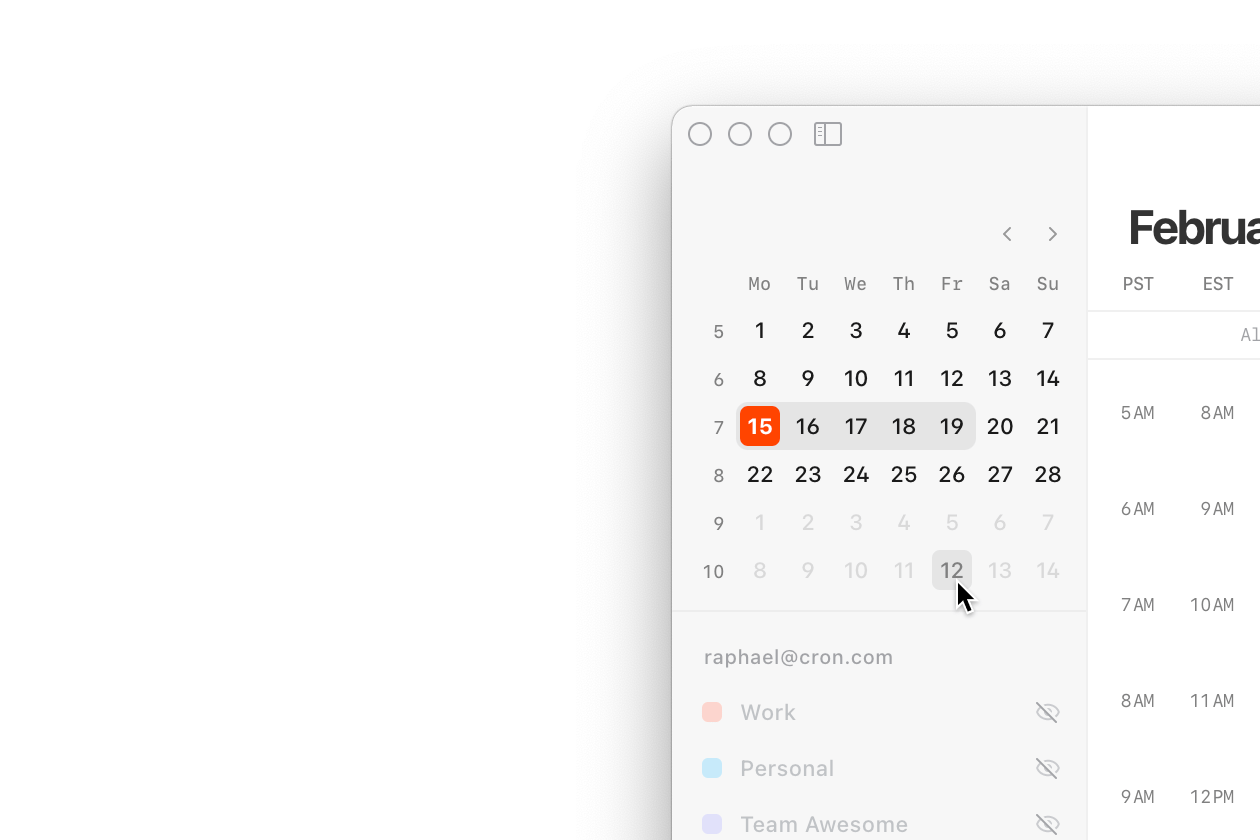
Mini month navigator
The left-hand Cron menu now features a month overview and date picker. It highlights the current day as well as the displayed days. This makes it obvious what week you’re looking at. The mini month navigator provides a high-level monthly overview and quickly navigates a few weeks or even months.
To show/hide the Cron menu, click the top-left button or press ~ (the key under the esc key).
Cut, Copy, Paste, Duplicate
With a selected event or hold, you can now use standard functions and keyboard shortcuts like cut (⌘ X), copy (⌘ C), paste (⌘ V), and duplicate (⌘ D). You can also duplicate by holding the option key and dragging an event or hold.
With a cut/copied event or hold, we try to find the most appropriate position to insert it when pasting. You can, e.g., navigate somewhere, click on the grid, press ⌘ V, and it will paste it right there.
All these commands are also available in the command menu and in the Mac menu bar under “Edit”.
Other improvements
- Adds “Every 2 weeks” (bi-weekly) and “Every month” options to repeat dropdown.
- Adds “Delete” reactive to grid selections in the Mac menu bar “Edit” menu.
- Improves event title and time layout on the grid to maximize number of displayed characters and avoid truncation.
- Improves formatting of Zoom IDs in the right-hand context panel.
- Changes checkboxes to switches where appropriate (Scheduling link, All-day).
- Resets the RSVP (response status) of participants when updating a meeting.
- Fixes
tabbing away from conferencing field resetting it. - Fixes context panel getting focus after deleting an event.